
Messaging API
Send Message API
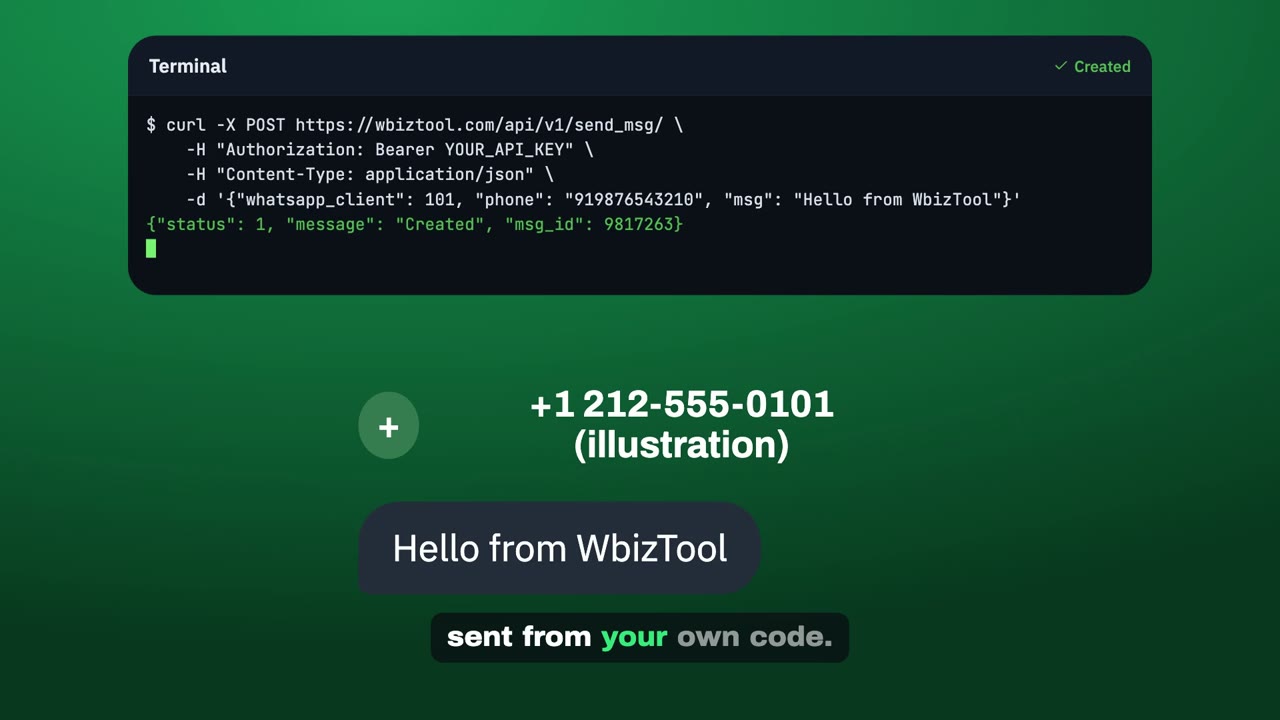
Send a WhatsApp text, image or document to one phone number from your connected WhatsApp number. Use it for order confirmations, payment reminders, alerts and support replies.
https://wbiztool.com/api/v1/send_msg/Body: JSON, form fields, or multipart/form-data when uploading a file
The message is queued and sent from your WhatsApp number within moments. The response gives you a msg_id you can use to check its status.
Quick example#
curl -X POST https://wbiztool.com/api/v1/send_msg/ \
  -H "Authorization: Bearer YOUR_API_KEY" \
  -H "Content-Type: application/json" \
  -d '{
    "whatsapp_client": 678,
    "msg_type": 0,
    "country_code": "91",
    "phone": "9876543210",
    "msg": "Hi Aman, your order #4821 has shipped and will arrive on Thursday."
  }'
import requests
response = requests.post(
"https://wbiztool.com/api/v1/send_msg/",
headers={"Authorization": "Bearer YOUR_API_KEY"},
json={
"whatsapp_client": 678,
"msg_type": 0,
"country_code": "91",
"phone": "9876543210",
"msg": "Hi Aman, your order #4821 has shipped and will arrive on Thursday.",
},
timeout=60,
)
result = response.json() # read the body even when the HTTP code is 400
if result.get("status") == 1:
print("Queued with msg_id", result["msg_id"])
else:
print("Failed:", result.get("message"))// Node.js 18+ (built-in fetch). Save as .mjs to use top-level await.
const response = await fetch("https://wbiztool.com/api/v1/send_msg/", {
method: "POST",
headers: { "Authorization": "Bearer YOUR_API_KEY", "Content-Type": "application/json" },
body: JSON.stringify({
whatsapp_client: 678,
msg_type: 0,
country_code: "91",
phone: "9876543210",
msg: "Hi Aman, your order #4821 has shipped and will arrive on Thursday.",
}),
});
const result = await response.json(); // read the body even when the HTTP code is 400
if (result.status === 1) {
console.log("Queued with msg_id", result.msg_id);
} else {
console.error("Failed:", result.message);
}<?php
$payload = [
'whatsapp_client' => 678,
'msg_type' => 0,
'country_code' => '91',
'phone' => '9876543210',
'msg' => 'Hi Aman, your order #4821 has shipped and will arrive on Thursday.',
];
$ch = curl_init('https://wbiztool.com/api/v1/send_msg/');
curl_setopt_array($ch, [
CURLOPT_POST => true,
CURLOPT_HTTPHEADER => ['Authorization: Bearer YOUR_API_KEY', 'Content-Type: application/json'],
CURLOPT_POSTFIELDS => json_encode($payload),
CURLOPT_RETURNTRANSFER => true,
CURLOPT_TIMEOUT => 60,
]);
$result = json_decode(curl_exec($ch), true);
curl_close($ch);
if (($result['status'] ?? 0) === 1) {
echo 'Queued with msg_id ' . $result['msg_id'];
} else {
echo 'Failed: ' . ($result['message'] ?? 'no response');
}Replace YOUR_API_KEY and 678 with your own key and number ID. See Authentication for where to find them. The key goes in the Authorization: Bearer header (recommended); client_id and api_key in the body, as JSON or form fields, work too – the examples further down use them.
Request parameters#
Authentication
AuthorizationheaderRecommendedBearer YOUR_API_KEY: your API key from Settings → API keys. With the header,client_idandapi_keycan be left out of the body; if both are sent, a valid key in the header is used. See Send the key in a header.client_idintegerWithout the Authorization headerYour API Client ID from Settings → API keys. Optional with the header; if you send it, it must be the key's workspace.
api_keystringWithout the Authorization headerYour API key from the same page, when you don't send it in the header.
whatsapp_clientintegerRequired if you have more than one numberID of the WhatsApp number or Telegram account to send from, from WhatsApp settings. If you leave it out, the only connected number is used, WhatsApp first: one connected WhatsApp number is used even if a Telegram account is also connected, and a Telegram account only when no WhatsApp number is connected. An
@usernameuses the only connected Telegram account. With no WhatsApp number connected, the only Chrome extension number whose browser is closed is used, so the message waits instead of failing.
Recipient and message
phonestringrequiredThe recipient's WhatsApp number. Spaces,
+,-,., brackets and a leading00are removed for you, so+91 98765-43210works. Spreadsheet values such as919876543210.0and9.19876543210E+11are read as their digits, but a rounded one such as9.19877E+11is refused, because digits are missing. Send the number either with its country code (919876543210) or without it (9876543210) together withcountry_code. A local number written with its leading0works too:09876543210withcountry_code91goes to919876543210, and0612345678with39(Italy, where the0is part of the number) goes to390612345678. A number written with+or00carries its country code:country_codeisn't added to it, and a bracketed(0)after the code is dropped, so+44 (0)20 7946 0018goes to442079460018. From a Telegram account,phonecan also be an@username, at.me/usernamelink ortg:<id>.country_codestringoptionalCountry calling code without
+, for example91for India or1for the USA. It's added in front ofphoneunless the number already starts with it or is written with+or00. Exception: with91, a 10-digit number always gets the prefix. With other codes, a local number that starts with the same digits isn't prefixed, so send it with the country code included.msg_typeintegeroptional0text (default),1image,2file or document.msgstringRequired when msg_type is 0Message text, up to 3,000 characters. For images and files it's the caption and can be empty. WhatsApp formatting works:
*bold*,_italic_,~strikethrough~.messageis accepted as an alias.
Images and files
img_urlstringRequired when msg_type is 1 and no file is uploadedPublic
httporhttpsURL of the image.file_urlstringRequired when msg_type is 2 and no file is uploadedPublic
httporhttpsURL the file can be downloaded from directly.filefileoptionalUpload the image or file instead of giving a URL. Send the request as
multipart/form-datawith the field namedfile.file_namestringoptionalFile name the recipient sees, such as
invoice-4821.pdf. Its extension decides how the file is sent, so include one. It's sent in lower case, characters such as& : ? * $ ;are replaced with_, and it's cut to 150 characters. If you leave it out, the name comes from the URL or the uploaded file.
Delivery options
expire_after_secondsintegeroptionalMark the message as expired (status
4) if it hasn't been sent within this many seconds, for example3600for one hour. Useful for time-sensitive messages such as delivery ETAs. A background job does this at least 30 seconds after the deadline, so don't rely on it for deadlines shorter than a minute.webhookstringoptionalURL that receives a
POSTwhen the message is sent, fails, is cancelled or expires. See Webhook.idempotency_keystringoptionalOptional, up to 255 characters. Retry with the same value and you get the first answer back instead of a second message, for 24 hours. You can send it as an
Idempotency-Keyheader instead. See Retry safely.
Retry safely#
After a timeout or a lost connection you can't tell whether your request got through, and sending it again could message the customer twice. To retry safely, send an idempotency_key field or an Idempotency-Key header with a value of your own that's unique to this message, such as your order ID or a UUID, and use the same value and the same request when you retry.
It works on Send message, Send to group, Send to multiple numbers and Schedule message. Each API key has its own values, kept for 24 hours. Without one, or with a blank one, every request sends as usual.
| What happens | Answer |
|---|---|
| The first request with this value | The normal answer. |
| A retry after it succeeded | The first answer again, with the header Idempotent-Replayed: true. No new message. |
A retry after a refusal (status 0) | Runs again: refusals aren't remembered, so you can fix the request and retry with the same value. |
| A retry while the first request is still running | HTTP 409, code idempotency_in_progress, with Retry-After: 1. |
| The same value with a different request | HTTP 409, code idempotency_key_reused. |
| A value over 255 characters, or with line breaks | HTTP 400, code invalid_idempotency_key. |
The idempotency key only stops the same request making a second message. It doesn't tell you whether the message reached WhatsApp: use a webhook or Message status for that.
Sending images and files#
Download limits for img_url and file_url:
- The URL must be public:
httporhttps, reachable from the internet. Up to 5 redirects are followed, and each one must also lead to a public address. - Linked files can be up to 100 MB. The server must start responding within 45 seconds and not stall for longer than that.
- The file is fetched when you call the API, so a broken link fails straight away with
Invalid file url.
Files sent with msg_type 2 keep these extensions:
| Category | Extensions |
|---|---|
| Images | .jpg, .jpeg, .jpe, .png, .gif, .webp, .bmp |
| Documents | .pdf, .doc, .docx, .docm, .xls, .xlsx, .xlsm, .xlsb, .ppt, .pptx, .pptm, .txt, .csv |
| Audio | .mp3, .mpga, .m4a, .aac, .wav, .ogg, .oga |
| Video | .mp4, .mov, .avi, .webm |
| Archives | .zip, .rar |
These checks run when the message is sent, not when you call the API, so the failures only show up in Message status and the webhook:
| Problem | error in Message status |
|---|---|
An image (msg_type 1) over 16 MB | File exceeds WhatsApp size limit (16MB max) |
A video (.mp4, .webm) over 64 MB, including one sent as an image (msg_type 1) | File exceeds WhatsApp size limit (64MB max) |
Any other file (msg_type 2) over 100 MB | File exceeds WhatsApp size limit (100MB max) |
| An empty file (0 bytes) | The file is empty |
A .wav or .ogg file sent as an image (msg_type 1) | File type not supported |
WAV and OGG audio can't be sent as an image (msg_type 1). Sent as a file (msg_type 2), they arrive as a document under their own name, such as recording.wav. .mp3, .mpga, .m4a and .aac files arrive as audio that plays in the chat, and msg follows as a separate text message (audio has no caption).
curl -X POST https://wbiztool.com/api/v1/send_msg/ \
  -H "Content-Type: application/json" \
  -d '{
    "client_id": 12345,
    "api_key": "YOUR_API_KEY",
    "whatsapp_client": 678,
    "msg_type": 1,
    "country_code": "91",
    "phone": "9876543210",
    "img_url": "https://example.com/offers/diwali-sale.jpg",
    "msg": "Our Diwali sale starts today 🎉"
  }'
import requests
response = requests.post(
"https://wbiztool.com/api/v1/send_msg/",
json={
"client_id": 12345,
"api_key": "YOUR_API_KEY",
"whatsapp_client": 678,
"msg_type": 1,
"country_code": "91",
"phone": "9876543210",
"img_url": "https://example.com/offers/diwali-sale.jpg",
"msg": "Our Diwali sale starts today 🎉",
},
timeout=60,
)
print(response.json())// Node.js 18+ (built-in fetch). Save as .mjs to use top-level await.
const response = await fetch("https://wbiztool.com/api/v1/send_msg/", {
method: "POST",
headers: { "Content-Type": "application/json" },
body: JSON.stringify({
client_id: 12345,
api_key: "YOUR_API_KEY",
whatsapp_client: 678,
msg_type: 1,
country_code: "91",
phone: "9876543210",
img_url: "https://example.com/offers/diwali-sale.jpg",
msg: "Our Diwali sale starts today 🎉",
}),
});
console.log(await response.json());<?php
$ch = curl_init('https://wbiztool.com/api/v1/send_msg/');
curl_setopt_array($ch, [
CURLOPT_POST => true,
CURLOPT_HTTPHEADER => ['Content-Type: application/json'],
CURLOPT_POSTFIELDS => json_encode([
'client_id' => 12345,
'api_key' => 'YOUR_API_KEY',
'whatsapp_client' => 678,
'msg_type' => 1,
'country_code' => '91',
'phone' => '9876543210',
'img_url' => 'https://example.com/offers/diwali-sale.jpg',
'msg' => 'Our Diwali sale starts today 🎉',
]),
CURLOPT_RETURNTRANSFER => true,
]);
echo curl_exec($ch);
curl_close($ch);curl -X POST https://wbiztool.com/api/v1/send_msg/ \
-F client_id=12345 \
-F api_key=YOUR_API_KEY \
-F whatsapp_client=678 \
-F msg_type=2 \
-F country_code=91 \
-F phone=9876543210 \
-F "msg=Your invoice for order #4821 is attached." \
-F file_name=invoice-4821.pdf \
-F file=@./invoice-4821.pdfimport requests
with open("invoice-4821.pdf", "rb") as f:
response = requests.post(
"https://wbiztool.com/api/v1/send_msg/",
data={
"client_id": 12345,
"api_key": "YOUR_API_KEY",
"whatsapp_client": 678,
"msg_type": 2,
"country_code": "91",
"phone": "9876543210",
"msg": "Your invoice for order #4821 is attached.",
"file_name": "invoice-4821.pdf",
},
files={"file": f},
timeout=120,
)
print(response.json())// Node.js 20+ (built-in fetch, FormData and fs.openAsBlob). Save as .mjs to use top-level await.
import { openAsBlob } from "node:fs";
const form = new FormData();
form.append("client_id", "12345");
form.append("api_key", "YOUR_API_KEY");
form.append("whatsapp_client", "678");
form.append("msg_type", "2");
form.append("country_code", "91");
form.append("phone", "9876543210");
form.append("msg", "Your invoice for order #4821 is attached.");
form.append("file_name", "invoice-4821.pdf");
form.append("file", await openAsBlob("./invoice-4821.pdf"), "invoice-4821.pdf");
// Don't set Content-Type yourself; fetch adds the multipart boundary.
const response = await fetch("https://wbiztool.com/api/v1/send_msg/", { method: "POST", body: form });
console.log(await response.json());<?php
$ch = curl_init('https://wbiztool.com/api/v1/send_msg/');
curl_setopt_array($ch, [
CURLOPT_POST => true,
// An array body (not json_encode) makes cURL send multipart/form-data.
CURLOPT_POSTFIELDS => [
'client_id' => 12345,
'api_key' => 'YOUR_API_KEY',
'whatsapp_client' => 678,
'msg_type' => 2,
'country_code' => '91',
'phone' => '9876543210',
'msg' => 'Your invoice for order #4821 is attached.',
'file_name' => 'invoice-4821.pdf',
'file' => new CURLFile('/path/to/invoice-4821.pdf', 'application/pdf', 'invoice-4821.pdf'),
],
CURLOPT_RETURNTRANSFER => true,
CURLOPT_TIMEOUT => 120,
]);
echo curl_exec($ch);
curl_close($ch);Using the official clients#
The Python and Node.js clients call this endpoint for you.
from wbiztool_client import WbizToolClient

client = WbizToolClient(api_key="YOUR_API_KEY", client_id="12345")

result = client.send_message(
    phone="9876543210",
    country_code="91",
    msg="Hi Aman, your order #4821 has shipped.",
    whatsapp_client=678,
)
print(result)
Errors raise requests.HTTPError. Read the reason with e.response.json()["message"].
const { WbizToolClient } = require("wbiztool-client");

const client = new WbizToolClient({
  clientId: 12345,
  apiKey: "YOUR_API_KEY",
  whatsappClient: 678,
});

(async () => {
  // Errors throw, with the API's response in the error message.
  const result = await client.sendMessage({
    phone: "9876543210",
    countryCode: "91",
    message: "Hi Aman, your order #4821 has shipped.",
  });
  console.log(result);
})().catch(console.error);Response#
A successful request returns HTTP 200:
{
  "status": 1,
  "message": "Created",
  "msg_id": 9817263
}| Field | Type | Description |
|---|---|---|
status | integer | 1 if the message was queued, 0 if the request failed. |
message | string | Created on success, otherwise the error. |
msg_id | integer | ID of the queued message. Save it to check the status later. Only present on success. |
"status": 1 means the message was queued, not that it reached the recipient yet. Use a webhook or Message status to confirm it was sent.
Errors#
Errors return HTTP 400 with status set to 0 (Account Disabled has no status field):
{ "status": 0, "message": "Msg cant be null" }| Message | How to fix it |
|---|---|
Auth Error - Please send correct API key and Client id | Send a non-empty api_key. |
Invalid client id. | Send client_id as a number. |
Auth Error: invalid api key | Check the key exists, hasn't been deleted and belongs to this client_id. |
Either phone or group_name parameter is required | Add phone. |
Please provide either phone OR group_name, not both | Remove one of them. |
Invalid phone number | phone must be a number of 6–17 digits. Letters and other symbols aren't allowed, and neither is a rounded spreadsheet value such as 9.19877E+11. |
Invalid Contact Number "…" | With the country code added, the number must be 7–15 digits long. |
Msg cant be null | Text messages (msg_type 0) need msg. |
Message length is too long | Keep msg to 3,000 characters or fewer. |
Image Url Can't be null | For msg_type 1, send img_url or upload a file. |
File Url Can't be null | For msg_type 2, send file_url or upload a file. |
Invalid file url, Can't download / Invalid file url | The URL isn't public, timed out, or the file is over 100 MB. |
Invalid whatsapp client | That whatsapp_client ID isn't in your workspace. |
Invalid whatsapp client id. | Send whatsapp_client. It's required when your workspace has more than one connected number. |
Telegram usernames can only be sent to from a Telegram account: pass its id as whatsapp_client | An @username, t.me link or tg:<id> in phone needs a Telegram account as whatsapp_client. |
Not enough credits | The workspace is on the free plan and has no messages left: paid plans send unlimited messages. See When you run out of messages. |
Daily limit reached: a number can send 1,000 messages in 24 hours (fair use). Send the rest tomorrow. (HTTP 429, "code": "daily_limit_reached") | This number took 1,000 messages in the last 24 hours (fair use). The response still has the msg_id of the refused message, which shows as failed. Send the rest later or from another number. |
Demo Account can not access apis | Use a regular account. |
Account Disabled | Your account is disabled. Contact support. |
Invalid JSON format: … | The JSON body isn't valid, often because of a trailing comma or an unescaped line break in msg. Use \n for new lines. |
A queued message can still fail when it's sent, for example with File exceeds WhatsApp size limit (…). Those errors never appear in this response. See Sending images and files and check Message status.
Webhook#
If you pass webhook, WbizTool sends a POST to that URL when the message is sent or fails, and when it's cancelled or expires before it was sent. The body is form-encoded (application/x-www-form-urlencoded), not JSON:
msg_id=9817263&status=SENT| Field | Values |
|---|---|
msg_id | The msg_id returned when you sent the message. |
status | SENT, FAILED, CANCELLED (cancelled before it was sent: with Cancel message, from the dashboard, or because its WhatsApp number or campaign was removed) or EXPIRED (not sent before expire_after_seconds ran out, or still waiting on a disconnected number 48 hours after it was due) |
Each webhook is signed: the headers WbizTool-Timestamp and WbizTool-Signature (v1= and an HMAC-SHA256 of <timestamp>.<raw body> with your workspace's signing secret) let you check it came from WbizTool. Get the secret and the Python and Node.js check in Webhook signatures; receivers that ignore the headers keep working.
Respond with any 2xx code; a redirect is followed, at most 3 times. If your endpoint doesn't answer within 10 seconds, can't be reached, or returns 429 or 5xx, WbizTool tries again after 30 seconds, 1 minute and 2 minutes (4 tries in all). Other 4xx responses aren't retried. The URL must be a public internet address: a webhook to a private or local address (such as 192.168.x.x or localhost) isn't sent.
Tips#
- Phone numbers: store numbers in international format and send them with
country_codeto avoid ambiguity. - New lines in JSON: write them as
\ninsidemsg. A raw line break makes the JSON invalid. - Keep your number connected: messages are sent from your WhatsApp number, so it must stay connected in WhatsApp settings.
- Many recipients: to send the same message to several numbers in one request, use Send to multiple numbers. For large campaigns, upload a spreadsheet from the Campaigns page instead.